Reviewed October 30, 2026. Written by SoundSeam; this is a first-party comparison.
What do you need from your beat store?
SoundSeam: start for free.
Put your beats and kits on a public producer page and publish to YouTube from the same workflow. Free has no monthly bill and a 5% platform fee. Pro adds more tools and removes the direct-sale platform fee on your share.[1][5]
Catalogue capacity is measured in GB, and earnings settle before transfer to Whop.
BeatStars: choose your toolkit.
Sell through its marketplace or embed a store on your own site. Starter has the lowest published subscription price of the paid plans compared here. Growth adds stems; Professional adds a Pro Page website and customizable domain.[7][8][9]
Selling requires a paid plan, and Marketplace buyers pay a separate service fee.
How the two stores compare.
See what’s included, which files you can sell, and where fees apply.
SoundSeam and BeatStars seller comparison. Reviewed October 30, 2026. Source links appear in each row.
SoundSeamThe 5% Free platform fee is a seller-side charge. Processing, taxes and any applicable adjustments remain separate; review the checkout total.
BeatStarsMarketplace: 12% service fee added to the buyer’s purchase. No BeatStars service fee on Pro Page or Blaze Player transactions. Taxes and processing are separate.
SoundSeamUnlimited beat and kit listings. Free includes 25 GB; Pro includes 250 GB. Protected existing accounts keep their storage terms. Extra capacity is available.
BeatStarsUnlimited beats on all paid plans. A comparable total GB allowance was not verified in the reviewed sources; unlimited listings do not establish unlimited file storage.
SoundSeamPublic producer pages; Pro includes a custom storefront. Confirm any custom-domain requirement before switching.
BeatStarsMarketplace profile and Blaze Player embeds. Professional adds a Pro Page website and customizable domain; Starter includes one embed, higher plans unlimited embeds.
SoundSeamProducer-set licence options and PDF agreements; audio and stem files can be attached to a beat. Track audio and stems allow 3 GB per file; kit ZIPs allow 10 GB.
BeatStarsMP3 and WAV on all paid plans. Growth and Professional add stem uploads. Starter has four custom licence agreements; higher plans have unlimited custom licences.
SoundSeamPurchased files and licence access depend on the selected package and uploaded assets. If stems are offered, the terms require delivery within 48 hours unless the licence says otherwise.
BeatStarsFiles are delivered after the payment provider confirms payment to all sellers. Guest receipt emails contain download links; pending payments can delay delivery.
SoundSeamWhop connected-account setup is required. A four-business-day settlement window precedes eligible transfers; withdrawal options, fees and arrival times depend on the provider and account.
BeatStarsThe reviewed help documents PayPal Commerce Platform. Receiving payments depends on territory and account support. Provider holds and processing can affect availability.
What does each plan cost?
Prices in USD. Annual plans charge the full year upfront. Taxes, regional pricing and temporary promotions can change the quote at checkout.
Subscription billing comparison in US dollars
Plan
Pay monthly
Pay annually
SoundSeam Free
Pay monthly$0
Pay annually · upfront$0
SoundSeam Pro
Pay monthly$37 / month
Pay annually · upfront$370 / year
BeatStars Starter
Pay monthly$4.99 / month
Pay annually · upfront$19.99 / year
BeatStars Growth
Pay monthly$8.99 / month
Pay annually · upfront$79.99 / year
BeatStars Professional
Pay monthly$19.99 / month
Pay annually · upfront$179.88 / year
SoundSeam’s existing paid subscriptions can keep their protected price. BeatStars prices use its standard USD Help Centre list. Reviewed October 30, 2026.[1][7][8][13]
Compare both sides of checkout.
A $100 BeatStars Marketplace item carries a $12 buyer service fee before applicable tax. A Pro Page or Blaze Player sale does not carry that BeatStars service fee. This is separate from the seller’s 0% commission and any payment-processing charge.[10]
On SoundSeam, processing is deducted before confirmed collaborator splits. Each Free participant pays a 5% platform fee on their resulting share; each Pro participant pays 0% on eligible direct sales. A Pro owner does not remove a Free collaborator’s fee.[3]
These explain fee rules, not a payout quote. Refunds, disputes, currency conversion, taxes, network adjustments and withdrawal-method costs can change the final amount.
Give your next beat a place to sell.
Upload your WAV or MP3 to SoundSeam, add your artwork and set up the listing. Free includes 25 GB for your catalogue, with no beat-count limit.[2][5]
BeatStars includes MP3 and WAV uploads on every paid plan. If you sell stems, you’ll need Growth or Professional.[8]
Set the terms for your music.
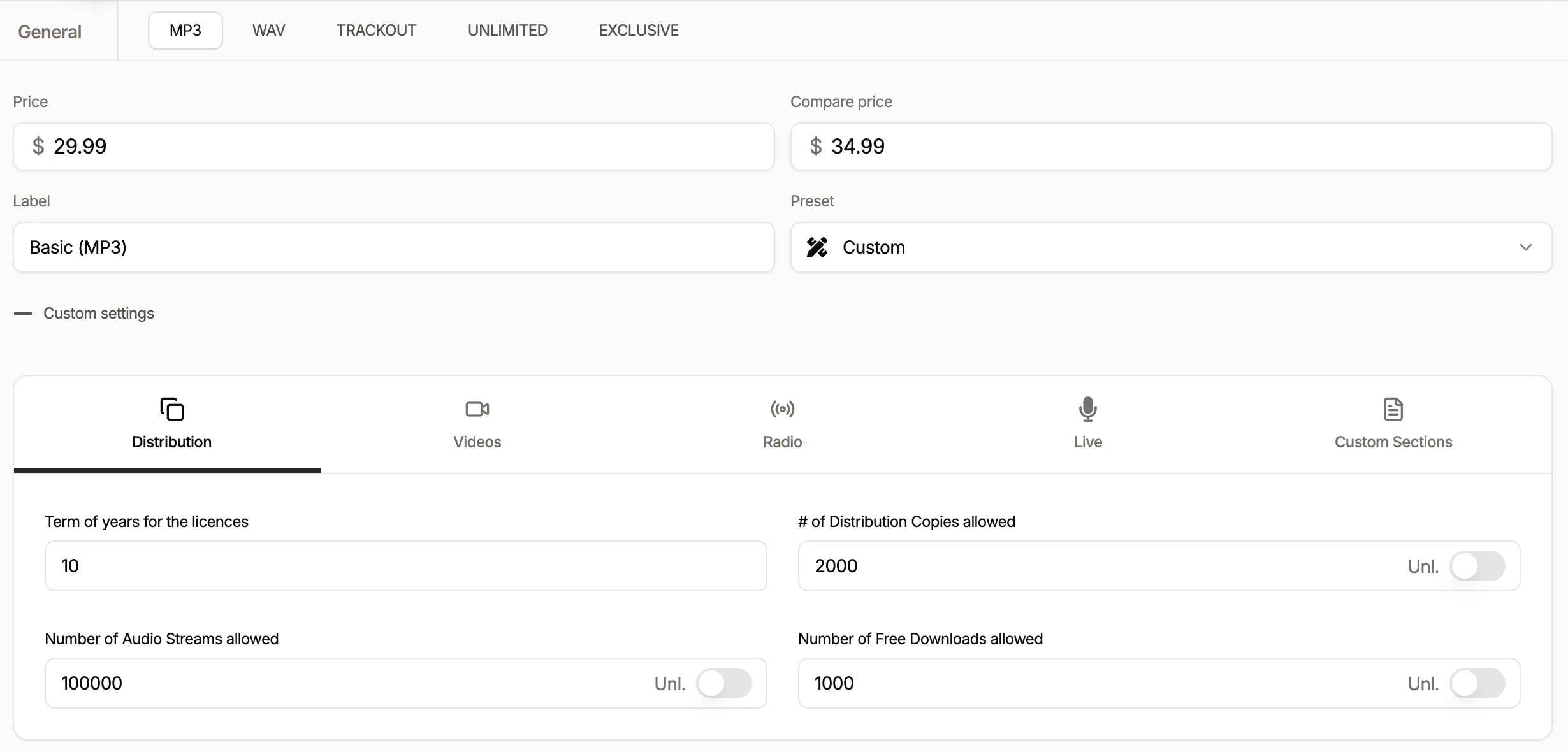
Choose the licences you offer on SoundSeam and set your prices and usage limits. Artists can see what they’re buying before they check out.[5][6]
BeatStars Starter includes four custom licence agreements. Growth and Professional include unlimited custom licences.[8]
Questions worth asking.
It depends on the plan and your sales. SoundSeam Free has no subscription, but its 5% platform fee applies to a Free participant’s share. BeatStars’ published paid subscriptions cost less than SoundSeam Pro and advertise 0% seller commission. Compare the full annual subscription, processor charges, buyer checkout fees and the features you need. Neither a free plan nor 0% commission means zero total cost.
No. BeatStars’ 0% seller commission is separate from its 12% Marketplace buyer service fee. Its Pro Page and Blaze Player transactions have no BeatStars service fee. SoundSeam Pro removes the direct-sale SoundSeam platform fee on the Pro participant’s share. Third-party processing and other applicable costs remain separate on both platforms.
Check your licences and any exclusivity obligations first. Non-exclusive terms may permit multiple sales channels, but an exclusive sale can require removing the beat elsewhere. Keep files, prices, collaborator permissions and terms consistent. Do not assume either platform synchronizes listings or past licences with the other.
Do not assume an automatic migration. Export and retain your own catalogue, agreements and customer records where permitted. Verify file delivery, supported payout access and a complete licence on the new store before changing the links you promote. Existing buyers’ rights remain governed by their original agreements.
Confirm receiving and withdrawal eligibility before choosing a platform. SoundSeam’s primary path uses Whop connected accounts; BeatStars’ reviewed documentation uses PayPal Commerce Platform. A provider operating in a country does not guarantee every account can receive and withdraw funds there. A country-by-country comparison and alternative BeatStars payout methods were not verified in this review.
Not verified in this review: BeatStars’ total storage allowance in GB, SoundSeam custom-domain parity, and a complete country-by-country payout comparison. Unverified does not mean unavailable.
This extends our guide to where to sell beats with a closer look at two products. We reviewed their documented features; we did not benchmark performance or test a purchase.
Ready to put your beats out there?
Start with a free producer profile. Choose your licences and give artists a place to buy your beats.